
When implemented correctly, your CRM system acts like another member of your team — a virtual team member entirely dedicated to data management and keeping everyone else on track. Aside from information storage, calendar and task management, and the automation of mundane tasks, it’s the best way to think about your CRM system. Just like any other team member, there’s onboarding, and there’s ongoing development.
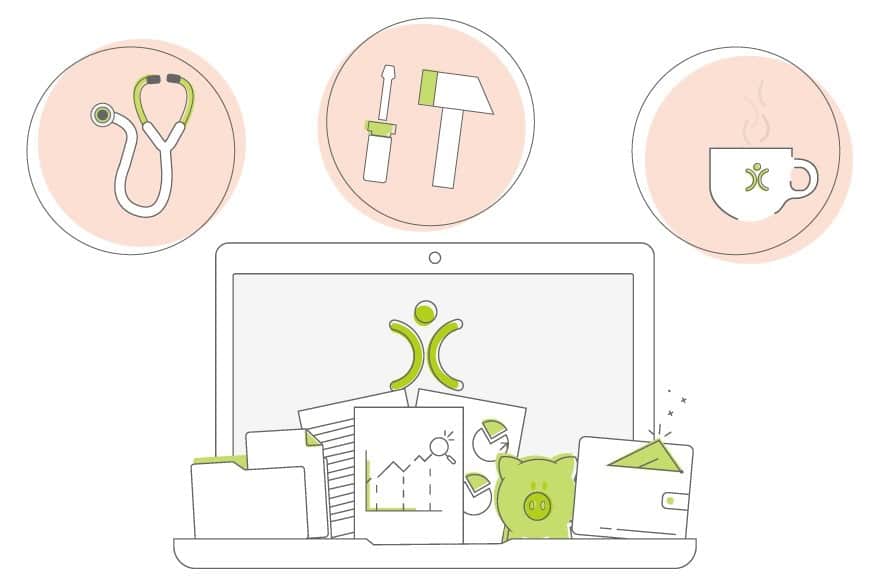
- Your CRM needs onboarding too — configured with your terminology, custom fields and processes before it goes live.
- Automation removes repetitive tasks and the human error of forgetting to do them.
- As your business evolves, your CRM has to evolve alongside it — new products, new terminology, new configuration.
- A documented Data Retention policy, backed by your CRM’s DRR tools, keeps data current and GDPR-compliant at any scale.
- Reviewing your data strategy is a three-part loop: diagnose, make changes, then reflect and review.
Onboarding Your CRM
People usually think of onboarding in relation to customers, but it applies just as much to your staff — your CRM users. They need to quickly learn everything about how your business operates: the words you use, the products you sell, the processes you follow.
Before you put a new CRM in front of your team, it needs configuring for your business — custom fields, templates, your terminology, your brand. If you notice repetitive tasks the team has to grind through, that’s where automation comes in: it removes the time spent on routine jobs and eliminates the risk of someone forgetting to do (or document) them.
Example: an email plan that automatically fires a satisfaction survey once a support ticket closes — one less job to remember, with no loss of results. That’s your CRM acting as a member of the team.
Getting this implementation phase right matters. Get it wrong, and your CRM won’t fit with the rest of your business.
CRM Evolution
Your business will change and grow over time, and your employees’ roles change with it — so your CRM has to evolve too. If you branch into a new area of your industry, your sales team needs to learn new terminology and how to sell it, your engineers need to learn how to install it, and your support staff need to understand how it works.
Your CRM system needs updating with all of that product information to support each department, and it needs configuring before your team can even start promoting the new range. It comes down to having a solid strategy for managing your CRM and customer data.
Building Your Data Strategy
It’s good practice to document how your business processes and manages personal data — GDPR is here to stay, and your CRM will likely play the starring role in that. Have you thought about implementing Data Retention Rules (DRR)?
Think about how long you want to store data. When a customer moves on, how long should you keep information about them? And remember it’s not just the client record — it’s linked emails, activities, and opportunities too. Once you’ve worked that out on paper, your CRM can apply those rules for you.
Keeping data current means reports, searches and views stay easy to manage — and the rules scale whether you’re dealing with 1,000 clients or 100,000.
It’s also worth reviewing these practices regularly, to make sure your DRR are still fit for purpose and you remain GDPR compliant.
Analyse and Review
Very few businesses go untouched by change — technological, political, economic, competitive. Reviewing your departmental processes, CRM usage and data strategy comes down to three parts:
Diagnose
Are you finding duplicate records? Are tasks being missed at some point in the process? Is your team doing manual jobs that could be automated? These are the signs it’s time to change something. Make these questions part of your regular departmental meetings rather than a separate exercise no one has time for.
Example: a task at the end of the sales process kept slipping through. We set up a workflow reminder and added a graph to our sales dashboards — the tasks get done, and no one gets named and shamed.
Make Changes
Implement the process or tooling changes needed to address the problem. The most important part is communication — everyone needs to know what’s changing, why, and how to feed back on whether it’s working. People who feel ownership of a change are far more likely to adopt it.
Reflect and Review
Once changes are live, find out if they worked — using both the reporting data in your system and qualitative feedback from your team. Just because a fix is working doesn’t mean you stop discussing it: we later added more steps to that same workflow once we realised the stage mattered to departments beyond sales.
One of the real benefits of a CRM across departments is that the data is accessible to everyone — sales can see marketing activity, support can see which products a customer uses, finance can track sales activity. Configured and maintained well, it becomes the glue that holds the whole business together.

Ready for a CRM that grows with you?
See how OpenCRM adapts to your business, not the other way round.
Start your free trial