
A serious personal data breach can lead to significant penalties under UK data protection law, but for most small businesses the bigger risk is losing customer trust and control of day-to-day operations. If customer details are spread across spreadsheets, inboxes, and notebooks, it becomes much easier to miss follow-ups, duplicate work, and struggle with compliance responsibilities.
This guide explains how to move from fragmented records to a secure, organised system — creating a reliable single source of truth that helps your team work more efficiently, keeps customer information accurate and secure, and supports better business decisions.
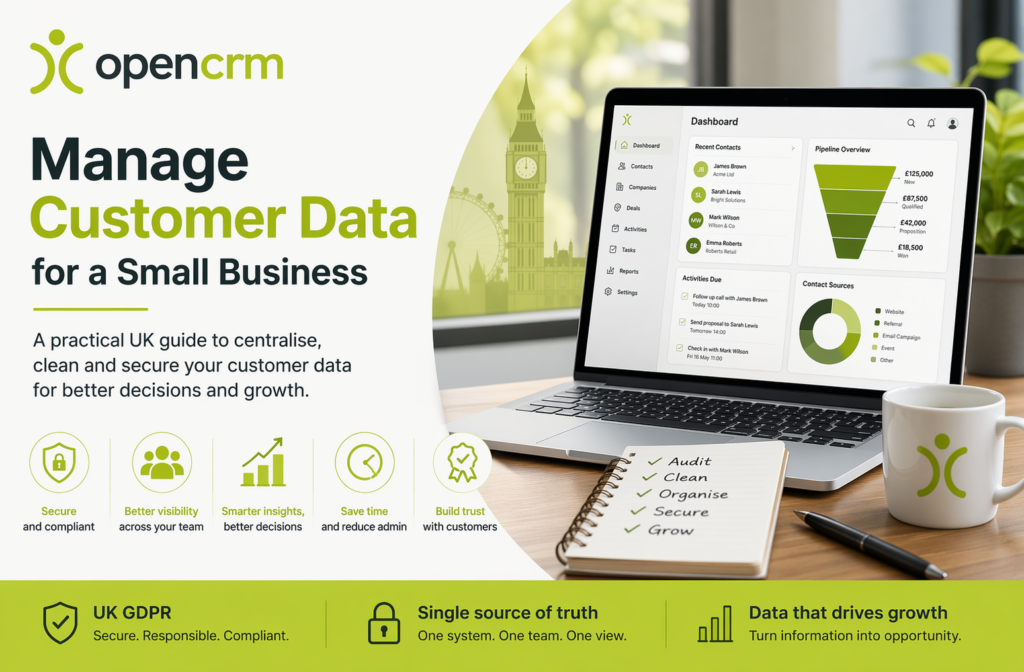
- Centralising customer data improves security, visibility, and team consistency.
- Start with a clear audit of where customer information is currently stored.
- Clean and standardise records before moving them into a new system.
- Tracking interactions in one place improves follow-up, reporting, and pipeline visibility.
- A structured system makes it easier to manage access requests, deletion requests, and ongoing compliance duties.
The Foundation of Small Business Customer Data Management
How you manage customer data is the process of collecting, organising, storing, and using customer information in a way that is secure, accurate, and useful. In practice, it means your team can access the same up-to-date information without relying on memory, duplicated files, or long email chains.
For UK small businesses, a centralised CRM often becomes the practical answer because it creates a single source of truth — reducing confusion over who last contacted a customer and supporting a more professional customer experience.
Why Spreadsheets Hold You Back
Spreadsheets can work at the very start, but they become harder to manage as your business grows. Multiple versions, manual updates, and customer data stored in personal files can create inconsistencies, missed opportunities, and unnecessary risk.
The Role of GDPR and Data Protection
UK GDPR and the Data Protection Act 2018 apply to businesses of all sizes that handle personal data. A structured system makes compliance easier because you can locate records faster, respond to subject access requests, correct inaccurate data, and delete data when appropriate.
GOV.UK states that businesses must keep personal information secure, accurate, up to date, and respond to relevant requests from individuals.
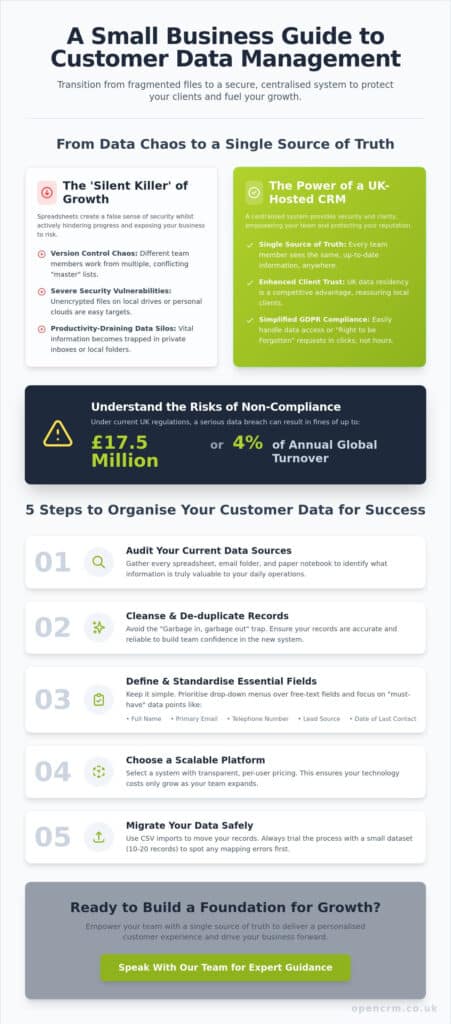
5 Steps to Manage Customer Data for Success
Improving customer data management does not need to be complicated. A simple, structured process is usually the best way to move from messy records to a reliable system.
- Audit your data sources — identify where customer information currently lives, including spreadsheets, inboxes, forms, shared drives, and handwritten notes.
- Clean your records — remove duplicates, correct outdated details, and eliminate information you no longer need.
- Define your key fields — for example, full name, email address, telephone number, lead source, company, and last contact date.
- Choose the right system — look for a secure, scalable platform that fits your team and supports your workflow.
- Import carefully — map fields properly and test with a small sample before carrying out a full migration.
Standardising Your Data Entry
Consistency matters just as much as storage. Using standard field formats and dropdown options where possible helps reduce errors, keeps reports cleaner, and makes it easier to filter or segment your contacts later. If one user enters “Referral”, another “referral”, and another “word of mouth”, reporting quickly becomes less reliable than it should be.
Moving Data Safely
Most small-business migrations are handled using CSV import tools. Before moving everything, test a small batch first to catch field-mapping errors and formatting issues early. It’s also worth checking that your new system makes it easy to export your data later — keeping control of your customer data and avoiding unnecessary lock-in.
Turning Managed Data into Business Growth
Once your data is clean and centralised, it becomes far more than a record-keeping exercise. Your team can see the full history of each lead or customer, follow up more consistently, and manage the sales pipeline with much better visibility.
Integrating with Your Business Tools
The biggest gains often come when your CRM connects with the rest of your business tools. Linking customer records with your email, calendar, and accounting systems reduces manual entry and helps keep information aligned across the business — Microsoft 365, Google Workspace, or Xero, for many UK businesses.
Reporting and Planning
Clean, centralised data improves reporting because you are working from one consistent dataset. That makes it easier to spot trends, understand customer behaviour, identify high-value opportunities, and make more confident decisions.
Building a Resilient Future for Your Business
Managing customer data properly is a long-term investment in your business. A secure, centralised approach reduces risk, improves efficiency, and gives your team the structure needed to deliver a more consistent customer experience.
For UK small businesses, the most effective approach is usually the simplest: know what data you hold, keep only what you need, keep it accurate, store it securely, and ensure your team can use it properly.
Frequently Asked Questions
Is Excel a good long-term way to manage customer data?
Excel can be a useful starting point, but it becomes limiting as your business grows. It lacks the shared visibility, audit support, and structured processes that make customer data easier to manage securely and consistently.
How do I keep customer data GDPR compliant?
Use a system that helps you control access, maintain accurate records, and respond to access, correction, or deletion requests. UK guidance also expects businesses to tell people how their data is used, keep it secure, and avoid keeping it longer than necessary.
What is the difference between a database and a CRM?
A database stores information, while a CRM helps you actively manage relationships around that information — typically including interaction history, reminders, pipeline tracking, and workflow support.
How often should I clean customer data?
Review it regularly and carry out a more thorough clean at least every six months. Regular data checks help remove duplicates, correct outdated details, and keep reporting useful.
Can I manage customer data on mobile?
Yes, most modern cloud systems allow you to access and update customer records from mobile devices — especially useful for teams working remotely or attending meetings away from the office.
Can I export my data if I change systems later?
You should be able to export your data in a standard format such as CSV. Retaining control over your data is an important part of choosing a system that will still suit you as your business changes.

Ready to bring structure to your team?
See how OpenCRM can fit around the way your team already works.
Start your free trial