
With the UK CRM software market projected to reach a staggering £80 billion during 2026, it’s clear that British businesses are investing heavily in digital growth; however, many still struggle to see a real return on that spend. You likely chose the platform to bring order to your team, but you might face low staff adoption or a database cluttered with redundant entries.
We believe your CRM should feel like a dependable member of your team rather than a complex technical burden. In this article, you’ll discover how to transform your business operations and maximise your return on investment by following a few expert strategies.
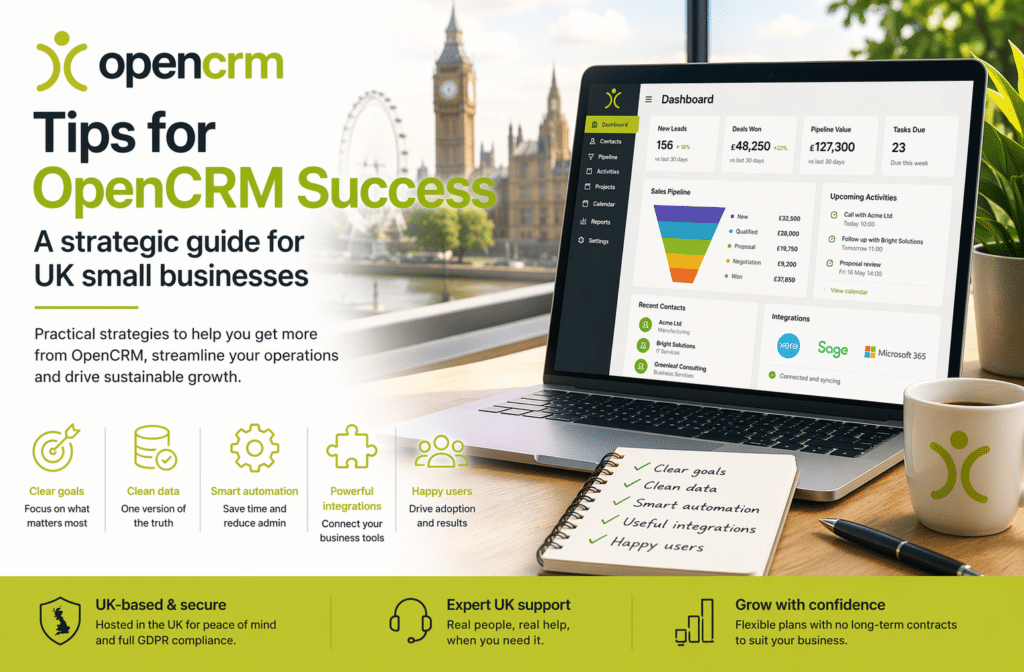
- Establish clear ownership and measurable goals within your team to ensure your CRM delivers genuine value from the start.
- Implement a “one version of the truth” policy to keep your customer records clean, organised, and ready for accurate reporting.
- Connect your system with essential UK tools like Xero, Sage, and Microsoft 365 to eliminate manual data entry and save time.
- Focus on boosting user adoption and leveraging UK-based expert support.
Laying the Foundations for OpenCRM Success
Getting started with a new system can feel daunting, but it doesn’t have to be. Real success isn’t about mastering every single button on day one — it’s about understanding CRM as a way to improve how your team works together and how you look after your clients.
One of the most effective tips is to establish clear ownership within your small business team — a dedicated person who ensures the system stays tidy and useful, without changing your successful business processes to fit the tool.
Setting Clear Objectives for Your System
Focus on the first 90 days. Identify the top three pain points you want to solve — lost leads, messy spreadsheets, or a lack of visibility over sales. Write a single sentence that defines what success looks like for your company.
“Every customer enquiry is answered within four hours.” When this goal is shared across departments, everyone moves in the same direction with confidence.
The “Virtual Team Member” Mindset
Think of your CRM as a reliable, silent partner that organises your daily tasks. Because OpenCRM uses UK-based data centres for hosting and backups, you get peace of mind regarding compliance and data residency.
Mastering Data Quality and Process Design
A CRM system is only as reliable as the data it holds. To ensure your investment provides a genuine return, you must implement a “one version of the truth” policy for every customer record — eliminating confusion and building stability across the office.
Without a focus on data hygiene, staff adoption often drops because the system feels cluttered or untrustworthy. You should regularly audit your database to remove duplicates and update outdated contact details.
Standardising Your Contact Management
Setting up mandatory fields for essential details, such as email addresses and industry types, prevents “lazy” data entry. Encourage your staff to log every interaction whilst the details are still fresh in their minds.
Designing Processes for the Real World
Your sales pipeline should mirror the actual behaviour of your UK customers. Map out your entire lead-to-invoice journey on paper before you attempt to automate it. Keep your initial processes simple and logical, adding more complex layers of automation as your team becomes more proficient.
Maximising Efficiency through British Business Integrations
Your business doesn’t operate in a vacuum, so your CRM shouldn’t either. By connecting your database to the tools you already use daily, you eliminate the tedious “double-entry” that often leads to errors and frustration.
For those niche tools that don’t have a direct link, you can use Zapier to bridge the gap — turning your CRM into a powerful engine that captures leads directly from your website.
Seamless Financial Syncing
Connecting your CRM to UK-specific accounting software like Xero or Sage reduces human error by ensuring that contact details and sales figures match across both systems. You can even set up automated invoice triggers once a project reaches a specific milestone.
Workflow Automation for Busy Teams
Automation is about giving your team back their time. Use automated alerts to remind staff of follow-up calls or expiring contracts. Features like “Round Robin” lead distribution ensure new enquiries are shared fairly and promptly amongst your sales team.
Scaling Your System with UK-Based Support
Success with any software eventually comes down to the people using it every day. Having access to a local team means you’re speaking with people who understand the British market — a proximity that builds a sense of security global, impersonal competitors simply cannot match.
Because there are no long-term contracts, you can adjust your user count as your team fluctuates, ensuring you only ever pay for what you actually need.
Building a CRM-First Culture
To foster high user adoption, start by celebrating “quick wins” where the system has saved a deal or prevented a costly mistake. When management leads by example and uses the system for all reporting, it sends a clear message that the CRM is a trusted ally for everyone.
Continuous Improvement and Local Assistance
Your journey doesn’t end after the initial setup. Reach out to UK-based support whenever you encounter a workflow hurdle, and stay updated with new features to maintain GDPR compliance and high standards of data protection.
Your Path to a More Efficient Future
Building a successful CRM system doesn’t happen overnight, but by focusing on clear ownership, high data standards, and strategic automation, you can transform your daily operations.
You don’t have to navigate this journey alone. With UK-based support and a UK focus, you have a local partner that understands your market and your compliance needs.
Frequently Asked Questions
How long does it take to see success with OpenCRM?
You can start seeing measurable improvements in team efficiency within the first 30 to 90 days of implementation. Initial success often comes from automating a specific process, such as lead capture on your website or automated follow-up reminders.
Can I use OpenCRM if my team is not tech-savvy?
Yes — the platform is designed to be accessible for users of all technical abilities by focusing on practical utility rather than complex jargon. Starting with a few essential mandatory fields and regular, bite-sized training helps even the least tech-savvy staff quickly learn to manage contacts.
Is my data secure with a UK-hosted CRM?
Yes — OpenCRM hosts its primary data centres and backup facilities within the UK, ensuring you remain fully compliant with UK GDPR and the latest data protection reforms.
How do I encourage my staff to use the CRM every day?
Demonstrate how the system makes individual jobs easier rather than just adding more admin. When staff realise the CRM prevents them from missing follow-ups, adoption increases naturally — celebrate small wins and ensure management uses the system for all reporting.
What are the most important integrations for a UK small business?
The most vital integrations connect your sales activity to your financial records or productivity tools, such as Xero, Sage, or Microsoft 365 — eliminating manual data entry and giving your team a cohesive, real-time view of every customer.
What happens if I need to change my user count?
You can adjust your user count at any time because we don’t require long-term contracts. This allows your subscription to scale naturally with your business growth or seasonal fluctuations.

Ready to bring structure to your team?
See how OpenCRM can fit around the way your team already works.
Start your free trial