
CRM Xero Integration
Integrating your CRM system with an accounting system like Xero is important across many areas of your business. As well as your finance team, it plays a useful role for departments such as Sales and Account Managers.
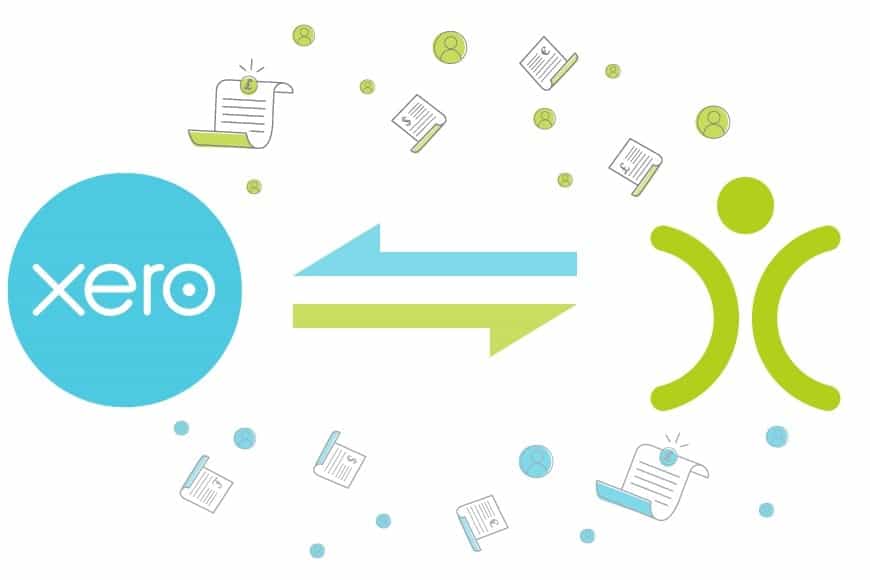
From a sales perspective, it opens the credit control figures in OpenCRM. This means that any member of the team can see how much an existing customer owes before speaking to them or raising any further Sales Orders. It enhances visibility, allowing your team to track payments efficiently and manage accounts with improved accuracy — Account Managers can easily access customer payment histories linked to their accounts, ensuring they are well-informed during discussions.
This seamless integration not only saves time but also reduces the likelihood of errors in financial reporting, and it’s flexible enough to suit businesses of all sizes, adapting to your unique needs. By merging accounting features with your existing CRM capabilities, you can manage your finances without the hassle of navigating two separate systems.
It is an easy way for the Account Manager to flag up any outstanding debts with the customer. They can work hand in hand with finance when chasing up overdue bills, or even placing an account on hold until their credit issues are resolved. Flipping that around, sales can also identify who are your best clients, and that may affect their approach with the client.
With the two systems integrated, finance has easy access to the invoice details that sales have raised. Suddenly, that whole part of your business process is running smoothly…with no need for messages, calls, or emails back and forth. It ensures that both sales and finance teams are aligned, with customisable features that suit your specific business needs.
But Why Did You Choose Xero?
We chose to integrate with Xero for several reasons, primarily its popularity. As we started to look around at additional accounting software to add to our Sage 50 integration, Xero jumped out as the product that was on everyone’s lips.
When we first launched our integration back in April 2017, Xero already had well over 1,000,000 subscribers and had just won Accounting Product of the Year in the British Accountancy Awards. So we knew we’d picked the right product.
What do you get with OpenCRM?
Unrivalled customer support? 2TB of storage per account? Data held in EU? It’s the sort of stuff we think you should be able to take for granted, but which you won’t necessarily get from our competitors.
Find out more →Staying in Sync
Enough about the why…you want to know how the integration with Xero works and what it will do for your business. Once established, the integration ensures that your financial data is constantly updated and accurate, giving your teams real-time data access.
Getting Started With the Xero Integration
If you’re looking to get set up right now, I would suggest you head over to this FAQ to read our step-by-step guide. This section will be more of a general overview. Setting up your link between OpenCRM and Xero is easy:
- Head over to your OpenCRM Settings
- Find the Integrations block and look for the Xero Settings link
- Tick to enable the integration and Save
- You’ll then see a button that says “Connect to Xero” – click this and sign into your Xero account.
And that’s it, the bare bones integration is done, and the two systems are talking to one another.
A Couple More Considerations
Once you’ve connected OpenCRM to Xero, you can now get into the important detail that makes this integration so powerful. Detailed guidance for all of the below can be found in this FAQ.
Importing your Xero clients is an important step if you are connecting a Xero account that you have been using prior to the integration. You want to make sure the data in the two systems matches, otherwise you run the risk of having duplicate entries, which will cause your accounts team issues.
If you are a seasoned Xero user, you will have details of your products or services set up in Xero. You need to make sure details such as nominals and tax rates match up in both systems.
Don’t forget, accounting is a very significant part of your business management. It is worthwhile getting to grips with these basics and configurations, in order to avoid any issues further down the line.
A little aside, if I may – one of the guiding principles we like to encourage is to learn to walk before you run with the system. That applies to any of the features – get to grips with the basics, and the rest will fall into place and become much easier to learn. Once you’ve done all the groundwork, you are ready to start syncing.

Do we have what it takes?
We don’t restrict which features you have access to in OpenCRM based on how many users you have. You get everything right out of the box. Click to find out if we’ve got the features you need.
Find out more →Integration in Action
From the Invoice screen in OpenCRM, our Xero integration works with just a couple of button clicks. You can quickly connect to Xero, send Invoices from OpenCRM to Xero, and update data from Xero back into OpenCRM.
From a customer perspective, they receive those nicely designed Invoice PDF templates sent from your CRM. You can design the templates to meet your requirements. If you have ongoing correspondence with your client relating to their bill, those emails are also logged against the Invoice and the client record in the system. That helps your sales and finance team keep up-to-date with correspondence around client billing in real-time. Notice the words PDF and emailing? OpenCRM and the Xero integration helps keep your business paper-free. This is nothing new, but a key aspect of implementing a digital transformation within your business.
When the Invoices arrive in Xero, they are automatically created and posted to the correct ledger, ready for your finance team to approve them. At the same time, they are matched up with existing Xero contacts and products (or new ones are created if no match is found). Remember those set-up steps we mentioned earlier? This is where that comes in relevant.
Data That’s Up to Date
One underlying benefit of all the above is keeping your data tidy.
Periodically, your accounts team will update back to OpenCRM, keeping invoices and credit balances in line and taking account of any payments that have been received. With a simple click of a button, that information is retrieved from Xero automatically. Your accounts team don’t have to hop from one piece of software to another – this can be actioned by any of your OpenCRM users who can access the Xero settings.
And now your sales team (and whoever else has access to Invoices and Company information) can see the results. They can see from the status of the Invoice whether it has been paid or part paid. What the outstanding balance is or when the invoice was actually paid. At the company level, you can easily see any overdue balances and when they were due.
If you’d like to watch this integration in action, check out this video on our YouTube channel. We’ve also got a Tuesday Tip all about managing your accounts with OpenCRM and Xero.
Let us take you on a tour
You’ve had a look around and are starting to think OpenCRM might be the system for you and your business. Why not chat with one of our team (and ask your burning CRM questions) as they take you on a tour of the system?
Find out more →How to Manage Parent and Child Companies
In a straightforward world, you deal with one company, and perhaps one person who works there. However, many of you deal with businesses with a head office and branches all over the place. In OpenCRM speak we talk about parent and child companies – the parent being HQ, and the child(ren) are the branches. You need to make a decision as to who pays the invoices when a branch places an order. Are they responsible for their accounts, or does HQ foot the bill? Either way, OpenCRM gives you the tools to manage this and it can be done on a granular level. Not all your clients operate in the same way so this gives you the flexibility to bill each client appropriately.
Other Benefits of Xero Integration
One underlying benefit of all the above is keeping your data tidy. Instead of having multiple company records or copies of invoices floating around in different systems, you are using one point of truth. You create your client records, product database and invoices in OpenCRM. You push this information to Xero via a sync. No need to copy and paste, download and re-upload, or even manually retype. Once your invoices are in Xero, payment details are recorded there and automatically returned to OpenCRM.
It also means that your sales team don’t need to get to grips with accounting software, nor does your accountant need to be a CRM expert.

Ready to bring your finances into one place?
See how OpenCRM’s Xero integration keeps sales and finance in sync.
Start your free trial