A Basic CRM System – is that so much to ask?

Graham Anderson

More than a basic CRM system

Simple does not necessarily mean basic

When you read the words “basic CRM system”, you may think this is referring to a back-to-the-roots system that offers you a simple business software solution and nothing more. Well, in a sense you’d be right, but only partially. You see, in essence, every good CRM system should be straightforward and easy to use. The basic concept I am talking about means looking at what your organisation needs from a CRM solution, and setting your system up to meet those requirements as precisely as possible.

Basic does not need to mean rudimentary or lacking in features. State-of-the-art devices generally help make day-to-day tasks as simple and effective as possible, and your CRM software is no exception.

You will need to take a look at what areas of the system are needed on a user-by-user basis, and then review and strip out the remaining features, as there is likely to be all manner of functionality that may not have an immediate or apparent use for you.


Features

Do we have what it takes?

We don’t restrict which features you have access to in OpenCRM based on how many users you have. You get everything right out of the box. Click to find out if we’ve got the features you need. find out more


However, before you go crazy and turn all but the essentials off, it is worth considering what the purpose of those other components is. You never know, they may well be useful to you at some point. A good starting point would be to look at the list of original modules and make notes as to what each feature you are eliminating is designed to do. If – say 12 months down the line – you decide to bring the project management team on board, you have documented the fact that your CRM includes tools designed to manage exactly that, and you can switch the relevant parts of the system back on.

Ideally, the aim for your team is to use the basic CRM to help them complete the jobs required with a minimum of fuss. The system configuration helps you achieve this. Beneath the simplicity runs a powerful engine that helps keep things ticking. Here are four highly clever tools that when correctly implemented, are designed to help keep things simple for you and the team.

Create your triggers

One thing you might expect from a basic CRM system is for it to help manage some standard actions for you. Action and Email Plans are some great automation tools that will generate consistent results. As an example, a Conditional Action Plan could be configured to trigger different activities for different users, based on the status of a Project. If you are at the planning stages of a construction project, the early actions might be carried out by surveyors, whereas subsequent activities are more likely to be carried out by the builders, electricians, plumbers and so on.

By setting up your basic CRM system for project management, you can easily automate these actions so they are scheduled when each stage of the project is reached. Similarly, if you wanted to send the client an update when each of these phases of the construction plan is completed, you could set up Conditional Email Plans, which will automatically generate and send those emails.

Go with the flow

One of the principles of a nice basic CRM system is that you should only have to enter certain pieces of information once. Details such as a company’s address or a contact’s email address are not likely to change much, so it makes sense that you don’t have to keep re-entering them when you use the data in different scenarios. Furthermore, this eliminates factors of error whereby different users maintain their own databases which might have different spellings, field design, naming conventions and so on, resulting in duplication of data within the organisation.

Also, the flow of data from lead to prospect to sale through to client means that the same information will be accessed by different people as the customer journey progresses. Therefore, if at the Opportunity stage, you have already established the products of interest and agreed terms of pricing and delivery, you don’t want to need to re-enter this detail on a corresponding Sales Order. By mapping information right across the board, it makes the data visible to all concerned and once again reduces the chances of error, such as shipping the wrong products to an incorrect address. It helps keep your customer journey aligned so that your staff can offer your clients accurate, up-to-date information regardless of where they have joined in the action.

The right place at the right time

If your sales teams are responsible for their own geographical territories or managing different product areas, it makes sense to assign new prospects to the relevant people so you can offer the best possible service to those potential clients. Instead of relying on someone to assign the records – and possibly getting it wrong – why not use auto-assignment rules that will look up your specified criteria and apply those to find the right salesperson.

If you have a smaller team and want to dish out records on an even basis to give everyone the same number of accounts to work on, you can also enable a round robin feature. Within OpenCRM, this can be applied to Leads, Companies, Contacts and Helpdesk. This not only means that everyone gets their fair share of the workload, but has the added advantage that nothing is left to slip through the net.

What about data protection?

So we are almost exactly one year on from the implementation of GDPR! In the business world, it has brought the concept of best practise into focus, not just in terms of marketing permissions but also when it comes to data management in general. Here again, your basic CRM system can do some of the heavy lifting for you by managing inactive data effectively. Using a combination of Right to be Forgotten and Data Retention Rules, you can decide how long you want to keep data that is inactive or has been marked with a particular status.


GDPR

GDPR: your data, your rules

We’ve always put data protection at the heart of OpenCRM. So with the introduction of GDPR, we’ve added new tools and features so you have the control you need to implement your policies and achieve compliance. find out more


Once the rules have been configured and enabled, your system should, in principle, be free of redundant data and that simplifies things by keeping relevant data up front. Various people may think that GDPR rules don’t apply to them for one reason or another, but it has made consumers more aware of what their rights are, and the first fines have been issued, so you can be sure this isn’t something that will be going away any time soon. Therefore, you should use the tools available to make sure the data contained in your basic CRM system has been subject to internal scrutiny and that you have the appropriate mechanisms in place to help manage that data automatically.

Your handy all-in-one pocket tool

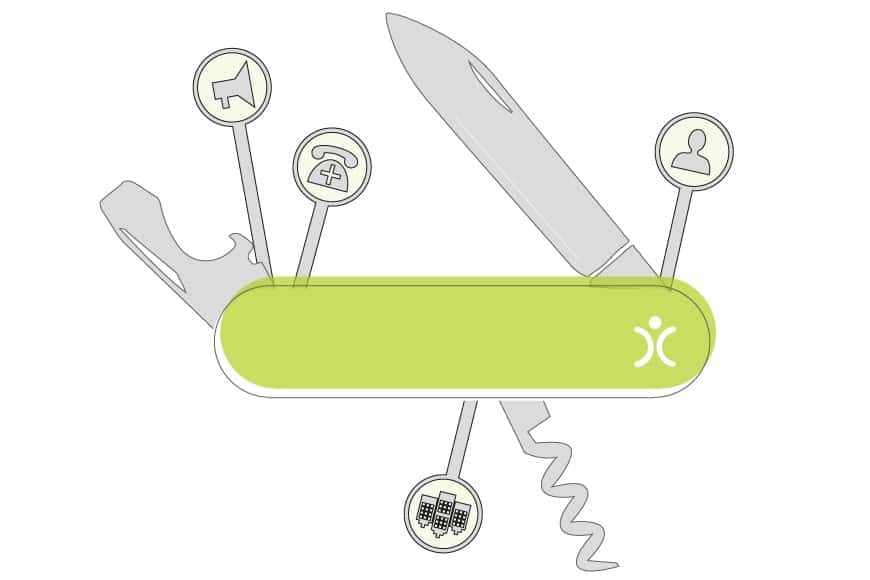
As you can see, what appears to be a simple tool has a lot of back-end configuration. Your multi-purpose CRM tool comes equipped with different moving parts that, when used together, help you to do the job from start to finish. Each of those components has a clear function and is not difficult to master, but when brought together, they make that sophisticated task very easy to do. So to answer the initial question – is a basic CRM too much to ask, the answer has to be a resounding no! It should not only be possible, but positively encouraged, so that the system does the work for you, whilst you and your team concentrate on your tasks in hand, without being overwhelmed by features and surplus information that get in the way of your normal working day.

Photo of author

Graham Anderson

I started out as a professional drummer (notice I didn’t say musician) before joining Apple’s UK Mac launch team and discovering a passion for technology. That moment stuck — and I’ve now spent over 40 years in software development and the wider tech industry. As founder of OpenCRM, I now split my time between being Managing Director and holding the arguably more enjoyable title of System Architect.