
As a Project Manager, my role requires me to understand the processes a company has and suggest ways to manage these within their CRM system — from the sales cycle all the way to the end product. If I know about it, I can help.
So I ask a lot of questions. Above all we want to give our customers the best practice for them to use the system, trying to understand the bigger picture of what they are trying to achieve. After all, you want the right answer, not a quick answer.
Once I’ve reached the point where I understand a company’s processes and how they want to manage them within OpenCRM, it’s time to start brainstorming which features will work best for them — the big, go-to features that give users the ability to automate different steps within their processes.
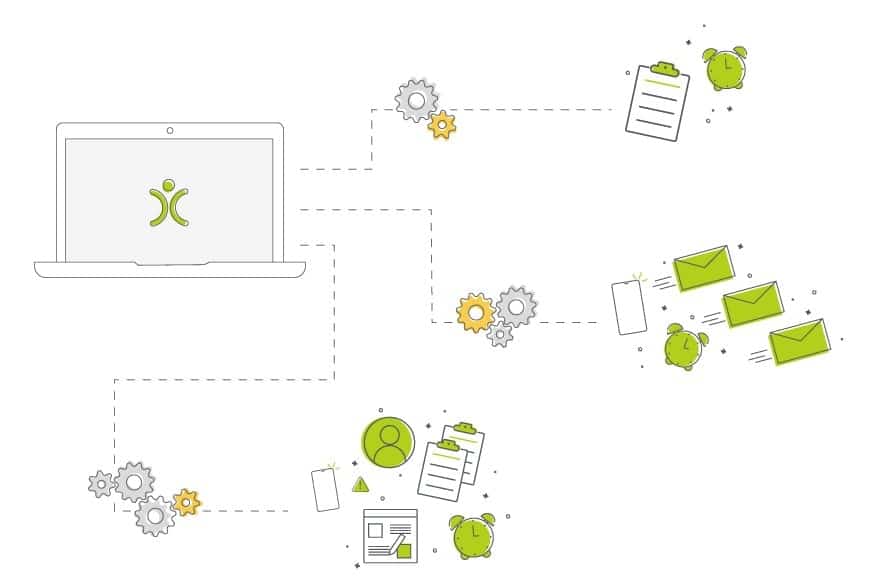
- Start by identifying the repetitive steps in your process — regular tasks, routine emails, alerts, and record creation are the best automation candidates.
- Automation adds consistency, which makes reporting and analysing your data far easier.
- You only automate the boring, repetitive stuff — the personal calls and emails that build real relationships stay firmly in your hands.
- OpenCRM offers three routes to automation: Workflow, Action Plans, and Email Plans — each suited to a different kind of task.
Identifying Which Steps Can Be Automated
Once I have discussed with someone how they are going to implement their processes within OpenCRM, I like to take a step back to look at the individual steps within them. I then ask myself a few questions:
- Are there tasks that need to be completed on a regular basis? A series of jobs that need completing when a new customer is signed, for example.
- Are certain emails sent to customers or prospects on a regular basis? New Leads receiving information, or a receipt being sent out automatically the moment a Sales Order is approved.
- Do certain users want to be alerted when a sale or project reaches a certain point? A manager being notified when a Ticket has been escalated.
- Are users going to be creating other new records at certain stages of the process? A Contract or Project being created when a Sales Order has been signed.
These kinds of questions help me identify the jobs that are going to become repetitive for my customer, and that can be streamlined using automation tools in OpenCRM. After all, like the title says: why do it when you can automate it?
Why Should We Introduce Automation into Our System?
No matter how small or large these things seem, they’re all important to you. Automating them doesn’t just ensure the process gets done — it ensures it’s completed with a level of consistency, which makes reporting and analysing your data far easier.
Because you’re only automating the boring and repetitive stuff, you don’t risk losing anything personal. You’ll still send out your normal emails and make the calls that build the real relationships with your customers. The boring stuff that gets forgotten or done incorrectly because someone was in a hurry? Leave that to the computer to sort out.
Okay… That Sounds Great, But Where Do I Start?
I encourage users to sit down and think through all the processes they currently have and how they want them integrating with OpenCRM. The question I’m often asked is:
“Wouldn’t it be cool if the system could do this for us?”
No matter who you ask — your project manager, account manager, or a member of our support team — we’ll carefully consider your options for doing so, looking into every route possible to make that process as slick and efficient as we can.
For example: if a Lead goes cold, you might send a follow-up email 1 month, 6 months and 12 months after the initial enquiry. Or every time a Quote is sent via email, you send a follow-up 7 days later. If you’re looking to automate tasks like these, we have a plethora of ways to do just that.
Which Route to Take…
When we talk about automation, we’re talking about three things: Workflow, Action Plans, and Email Plans. These different forms of automation cover a wide range of possibilities — but which one is right for the process you’re looking to automate?
Workflow
If you’ve never heard the term Workflow before, it can sound a bit scary and complicated. But what it boils down to is this: a pre-defined series of actions that happen off the back of a trigger event. You define both the actions and the trigger. Even more simply: you make a change, a series of “things” happen.
Workflow can ensure the system automatically:
- Sends notifications to users
- Creates new records within the system
- Updates the original parent record or other linked existing records (copying values from the parent if needed)
- Sets (or removes) a warning on a record
- And so much more
For the trigger, really consider your own processes and the changes you’re making. At what point do you want the notification sent? When does the Opportunity need to automatically create the Project record? What change on the record tells the system you’ve reached that stage?
Example: you want your Sales Manager notified every time an Opportunity is marked as Closed Won. You’d create a Workflow Rule for the Opportunity module, set the condition to run as soon as the Sales Stage field equals “Closed Won”, and under Actions choose “Send Notification” to your Sales Manager.
Workflow is a powerful tool, and not all changes you make to records can be easily reversed (if at all). Read through this FAQ to fully understand what options are available before you set one up.
Action Plans
These are simply a group of Activities created, scheduled, and assigned to the right people for the right time. The most common use is automating a Project Process — select a type of Project and have a list of Activities automatically created, walking your team through the process for that particular type of job. These appear in the various users’ to-do lists, against the Contact, Company, and linked Project.
The same applies to Leads — upon receiving a new Lead, you might create Activities for your sales team to do background research, schedule the initial call, and set a review date a week or two later.
Example: a “10 Hours of Training” Action Plan, split into six Activities — five training sessions and a goodbye session. Selecting this on a Project automatically creates all six Activities below.
But maybe you don’t want to have to go in and set the Action Plan yourself each time — that’s where Conditional Action Plans come in. These trigger automatically when a condition is met: if different Project types have different processes, each type can have its own Conditional Action Plan, so saving the Project with a particular type set automatically creates the right Activities.
Read our FAQ on Action Plans to get started setting up your own.
Email Plans
Email Plans are a great way to quickly and easily schedule emails from a record within the system, including Leads, Contacts and Companies. They work just like Action Plans, but with emails — select the Email Plan you’d like to implement, and the system automatically schedules (and then sends) the emails based on the dates, times, and templates you’ve set.
Example: when a Lead is verified as authentic, instead of setting a series of follow-up Activities, a user can select a “Lead Follow Up” Email Plan, automatically scheduling the emails below.
You’ll need to create your email templates beforehand, but once the plan is selected on the Lead record, the system handles the rest — automatically sending emails at the times you’ve chosen. And yes, we’ve got the same conditional option here too — we call them Conditional Email Plans.
To learn more and get started with your own Email Plans, check out our FAQ on the topic.

Ready to bring structure to your team?
See how OpenCRM can fit around the way your team already works.
Start your free trial