
What is a CRM Jotform
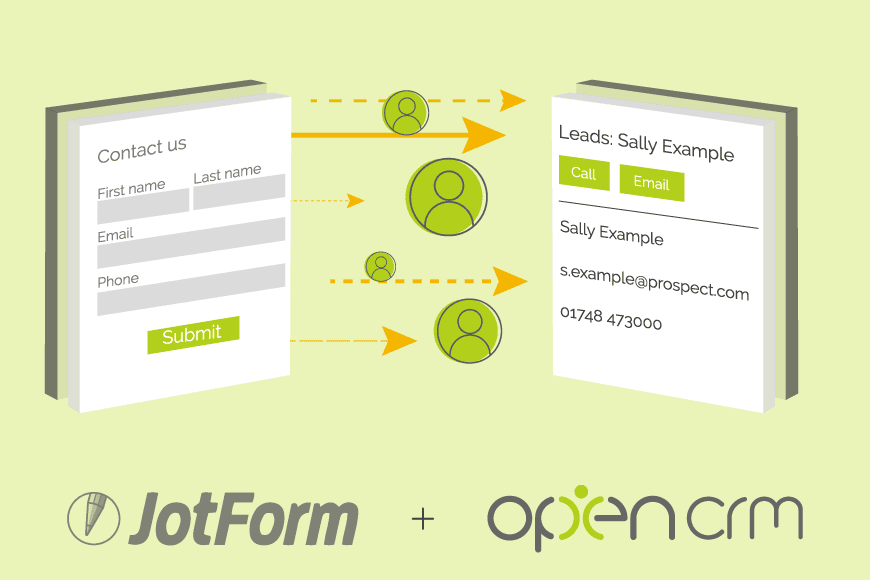
The short answer is that a CRM Jotform is a webform that is used to automatically create data in your CRM system. Of course, that short answer only really opens up a whole host more questions. In this blog post, we’ll try and answer some of those. Here is an insight into the worlds of Jotforms, and CRM. Hopefully you’ll then see the benefit of creating CRM Jotforms that will make your business life so much easier.
Jotform – an Introduction
To unpack these questions, let’s start with the basics. Jotform is a web app you can use to build online forms. It is actually more than that, but we’ll touch on the offline stuff a little later on. It offers you a means to capture data submitted online. This could be anything from a lead enquiry, to a customer survey, a diary booking or a helpdesk ticket. The options are endless. The forms are hosted on the Jotform platform/site, but you can embed them into your website if you prefer.
Form submissions are then stored in the Jotform app. Where you have built the form, you can visit the settings area and review any submissions. You could export the submissions to Excel if you like. But given that this is an article about CRM Jotform submissions, we’ll be exploring another avenue.
CRM – a Re-introduction
As you are reading this post on the OpenCRM website, you no doubt already have an idea of what CRM software is. Having said that, you may not be aware of the full capabilities available. I’m sure you know about the facility for storing details of customers, and the interactions you have with them. You’ll have an idea about the ability to track and score Leads, to convert them and bring them into your sales cycle. Quotes, Orders, and Invoices are part of the package too. Following the sale, you can track ongoing support via the Helpdesk. All this functionality sits together under the umbrella of CRM. This has the huge benefit that it means that your different departments are all working from the same database. No copying and pasting from one spreadsheet to another. No duplication of accounts, as everyone works from the same common source.
CRM Jotform – Bring the Two Worlds Together
Given that both Jotform and OpenCRM are web apps, it is no stretch of the imagination to think about getting the two systems to talk to one another.
I mentioned earlier that data captured by Jotform can be easily exported to a spreadsheet. Now, if you think about how data is imported into a CRM, what is the preferred format? Also, a spreadsheet. If we cut out the middleman, we end up with this CRM Jotform – a form that, when completed and submitted, is imported directly into OpenCRM.
Now that we have the formalities out of the way, it’s time to start exploring. If you look through the various modules of OpenCRM, you’ll see that the ability to import data exists in many areas. As well as simple imports – for example, to the Companies module – you have the ability to link records via an import. When you import Contacts, you can link them to Companies on the system. When you import Opportunities, you can link the existing Company and Contact. You can then map the Opportunity, the Company and the Contact to any Activities you import. Remember I mentioned the umbrella? Here you can also see how an import via one stem can feed out to the various branches of your system.
Before leaving you with a blank canvas, I want to give you a couple of practical examples of how you can set up your CRM Jotform.
Lead Generation
Lead generation and acquisition is a whole science in itself, which I’m not about to get into. But there is one aspect I would like to focus on. A great way of getting a qualified Lead is when someone completes a Contact Us form on your website. They have actively come onto your website and want more information from you. As far as Leads go, that is a promising start.
Using a CRM Jotform, you can automatically import this form submission into OpenCRM the moment the person hits submit. As well as storing their details such as name, email address etc., you can back-fill the data to make it as useful as possible. For example, adding the Lead Source and assigning the record directly to the relevant salesperson. That means you don’t need to put data into a pot to be sorted later – you can put it to work right away. The trick is to pre-populate fields on the form – hidden from the user – that match fields in your CRM when the form is submitted.
What’s more, you can delve further into your toolbox to see what else can be automated. For example, automatically creating an Activity to line up a call for your salesperson to make. Another example would be using a rule to trigger a mail to be sent to that new Prospect.

The Salesforce alternative?
There are a lot of CRM providers out there, and it can be difficult to know how one compares to another. Click to find out more about how we stack up against the competition.
Find out more →Internal Updates
As well as using a form to bring new data into your system, you could use one to update existing records. This is where things get really clever. If we combine automations around Emailing, consider this scenario.
When an Opportunity reaches the “Meeting” Sales stage, you want to automatically send the client an email. Within this email, there is a link to a Jotform. In that form, the Opportunity ID is embedded (and hidden). In addition, there are a couple of fields where the recipient can pick a date and time for the meeting. When they submit, this information is fed back to your OpenCRM. All of that is triggered by a simple change of the Sales Stage.
Out in the Field
Imagine you have contractors who work on your behalf. Perhaps you have field agents who carry out repairs for you. The faults are logged via a Helpdesk ticket, and it is these contractors who carry out the repairs. Using email and a CRM like Jotform, you can send them details of the fault and a link to a form to log their repair details. As well as filling in text or ticking boxes, the forms can also be used to upload images – for example, if you want to document “before” and “after” pictures. Hopefully, see how the forms can be used as a conduit for some pretty far-reaching data and activity management.
What about when I’m offline? The above situations sound great, but what happens if you send your engineers into remote locations? You know, really off the grid! (By the way as we are based in the beautiful Yorkshire Dales, we ourselves enjoy time off the beaten track – why not take a look at our #WednesdayWalks on our Facebook page to see what we get up to?!). In this type of scenario, the Jotform app is your friend. The app version lets you fill out forms offline, and they upload when you have a signal.
When you are at an exhibition and the signal is poor, you can just gather your lead data, save it to the app, and push that valuable prospect data into your system later on.
The Bigger Picture
Hopefully, you can see from the scenarios that I have outlined that there are endless possibilities when it comes to CRM Jotforms. Using forms either on your website or sent via email adds another means for your clients to get in touch, and this omni-channel approach can only be of benefit. You can ask clients for targeted, structured information, which can be seamlessly captured into your CRM system automatically. Of course, you will want to consider some best practises when setting up your forms.
Your website and your CRM system are different branches of the same data umbrella, and the CRM Jotforms act as the bridge between them.

Ready to bridge your website and your CRM?
See how OpenCRM Jotforms can automate your data entry.
Start your free trial