
OpenCRM doesn’t treat project management as a bolt-on feature.
It’s a fully integrated part of the system, designed to connect sales, delivery, and finance into one seamless workflow.
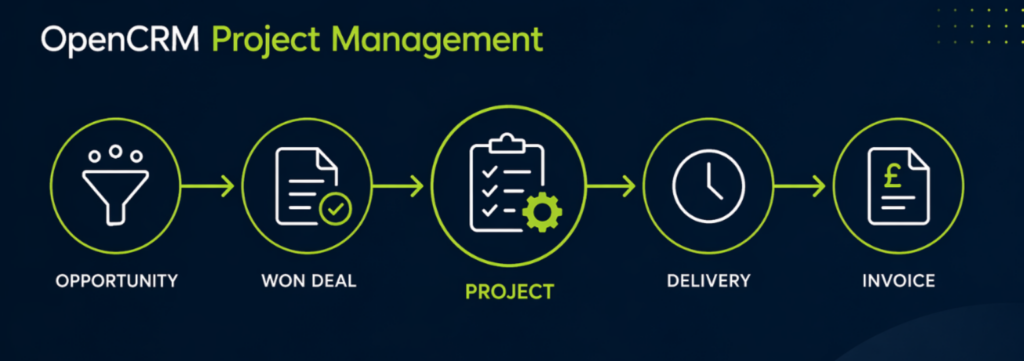
- Projects are created directly from opportunities.
- All communication and data is centralised.
- Automation supports consistent delivery.
- Time tracking and invoicing are built in.
- The system is fully configurable.
What Makes OpenCRM’s Project Features Different?
The strength of OpenCRM lies in flexibility. Rather than using separate tools, everything sits within a single system — ensuring consistency, visibility, and control across every project.
The best way to get a helicopter view of your business is to actually deliver what has been promised.
Project Creation from Opportunities
Projects can be created directly from won deals. With a single click, you can create the project record, forming the start of the delivery phase.
All associated data — contacts, emails, notes — can move with it automatically. Email the key principles from the project itself directly, and keep all outbound emails and their replies in one place.
No duplication, no lost information, and faster onboarding — keeping your customer informed, and your management team as well.
Centralised Project View
Each project holds everything in one place, creating a complete and accessible project record:
- Emails
- Activities
- Documents
- Notes
Task Automation and Workflow Control
Automated workflows ensure tasks are assigned at the right time and to the right people. Utilise Action Plans and Email Plans to save time and propel efficiency to its limits.
- Consistent delivery
- Reduced manual effort
- Fewer missed steps
Time Tracking and Cost Management
Track time against projects and compare it to planned effort.
- Better cost control
- Early visibility of overruns
- Clear profitability insights
Built-In Communication Tools
Communication is linked directly to projects, including emails, notifications, and activity updates.
Everything is visible, searchable, and auditable — keeping colleagues who may not be actively involved in the loop.
Integrated Invoicing
Projects connect directly to invoicing processes. Produce an invoice for ad hoc work.
- Faster billing
- Improved accuracy
- Reduced admin workload
Customisation and Flexibility
OpenCRM allows you to tailor fields, workflows, and permissions.
The system adapts to your business, not the other way around — so you don’t have to change how you work just to make software fit. Whether it’s your processes, terminology, or reporting, everything flexes to match your real-world operations.
Final Thoughts
OpenCRM’s project management features aren’t just about tracking tasks — they’re about connecting your entire business workflow.
From first contact to final invoice, everything works together to deliver better outcomes.

Ready to bring structure to your team?
See how OpenCRM can fit around the way your team already works.
Start your free trial